Build a reusable campaign URL sheet
Keep links, variants, and ownership in one place.
The scenario
A team shares six assets across email, paid social, and a partner newsletter.
A sheet with canonical URL, source, medium, campaign, content, and owner can distinguish the placements without adding personal information.
Apply it to your own work
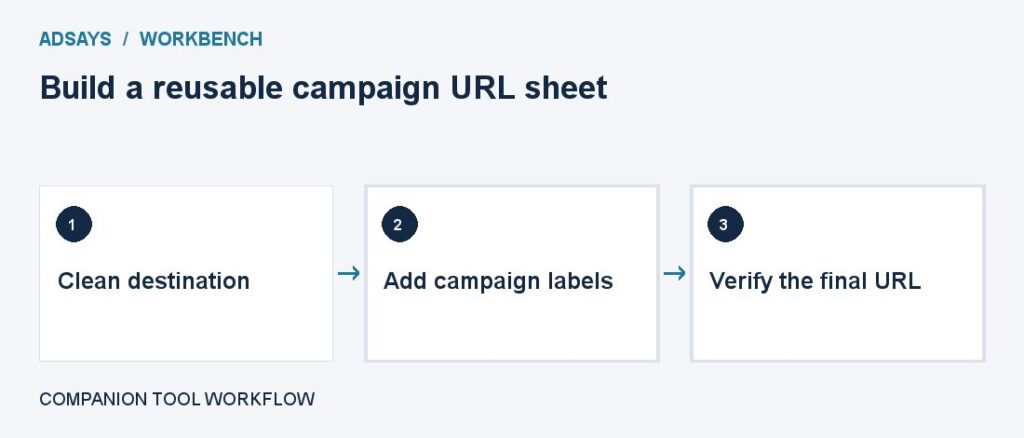
Validate the base link and generate tagged versions from a controlled vocabulary. Click each final URL through redirects before launch.
What to watch for
Short links can hide accidental parameters. Check the final address and keep the readable original in the sheet.
Add a verified URL and an owner
Keep the clean address, final tagged address, placements, and dates in separate columns. For each entry record who checked it and whether existing query parameters and anchors still work after redirects.
Use an approved vocabulary for source and medium. Give each creative its own content label when useful. Keep the link inventory after launch so reporting teams can distinguish a typo from an intentional campaign name.
Try a related tool
Add UTM labels to a destination. Use a consistent naming convention and avoid personal information in URLs.